


-18%Sold out
Here are some similar items ...
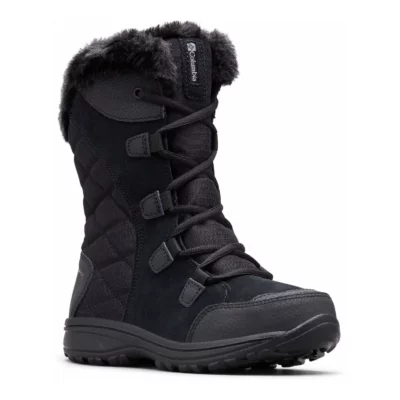
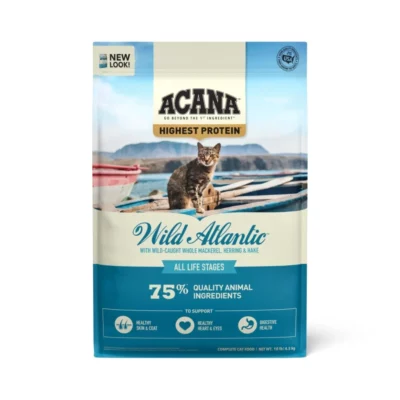
Original price was: $65.00.$50.00Current price is: $50.00.
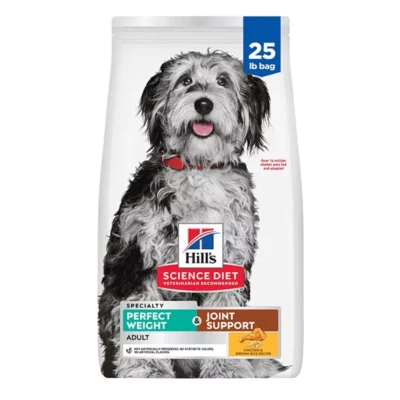
Original price was: $98.99.$80.99Current price is: $80.99.
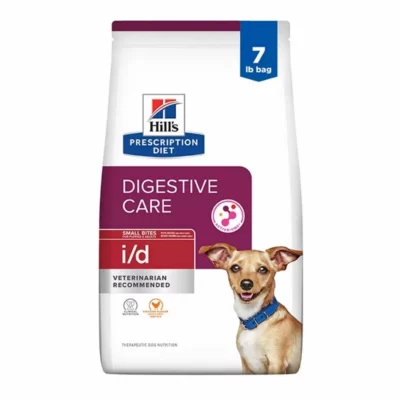
Original price was: $89.99.$72.99Current price is: $72.99.
Mark T. –
Printer works as expected. If you use the printer with mobile device just make sure, that the ‘Editor Lite’-feature is turned OFF otherwise your mobile device will not recognize the printer. I had to read through the folded manual and actually just tried it and then it connected to my phones. It works with a USB-Hub as well as with a USB2GO-cable (Micro-USB & USB-C). Have older phones, which I barely use and they got now a new purpose. Printing app doesn’t allow to turn text 180 degrees, so that you could print a label like for a wire to be readable in both ways. I know that the desktop version can do that. I would have to contact BROTHER if they are planning on implementing that feature in the mobile app. Tested also the red-printing, which seems like it is increasing temperature, and takes as long as a high-quality print. It is nice to have, but I wouldn’t recommend it, unless you really need it, since it prints the entire label slower = if you have to print many, larger labels you would have to calculate about 40% longer time. Still printing fast, but not as fast as just in b&w. The app has lots of nice templates (now also for COVID-19) and works very intuitive. I mainly bought this printer to label wires for computer network and it seems like the the DK-2214 labels would do a good job for that. You might use a SCOTCH-tape to protect it and keeping it on the wire, but it is a good size label for labeling wires.
Paul Hicks –
Overall this is a great printer, it’s an upgrade to my shipping workflow. One downside is the Mac setup (tips for this at the bottom) I’m using this to print shipping labels for individual trading card shipments. (Magic the Gathering, Pokemon, Baseball, etc.) I use the 2.4″ Continuous Tape for everything, the printer comes with a 5-meter sample roll of the DK-2251 Black/Red which I blew through pretty quickly. I bought a roll of the generic BETCKEY DK-2205 Black Only 2.4″ Continuous 100 ft which has been working out very well. For Mac Setup make sure you download the drivers and P-Touch editor from the Brother site. In the P-Touch editor make sure to select the proper tape. You need to specify if you’re using the 2.4″ Black/Red or 2.4″ Black only. Even if you’re only printing in Black, if you’re using the Black/Red tape then you need to specify the 2.4″ Black/Red option. If you don’t then you’ll get the dreaded blinking red light. It’s a good idea to download the P-Touch Editor even if you’re not going to be using it just for the ability to troubleshoot any issues. For Mac make sure the light above the “Editor Lite” button is NOT on. This is a Windows-only feature and will give you headaches. Any time you install new tape make sure to fire up P-Touch Editor and do a test print to make sure the tape is loaded properly. I have had success printing labels via Paypal multi-order shipping by selecting the “QL-500” option. In the print options do the following: For “Paper Size” Select “7 Postage Label” In the dropdown underneath “Orientation” Select “Preview” Make sure “Scale to Fit” and “Print Entire Image” are selected In the dropdown menu select “Basic” and for “Quality” select “Give priority to print quality” Next select “Advanced” from the dropdown menu and for “Color” select either “Monochrome” if you’re using the Black only labels or “2-Color(Black/Red)” if you’re using the “Black/Red” labels These options seem like no-brainers but I came into this assuming that it would “just work” and I was wrong. The printer knows what kinds of labels are loaded by referencing the dots punched into the bottom of the label holder and I assumed that it would be able to adjust its presets automatically but that is not the case. This was especially frustrating when moving from the Black/Red labels to Black only. Once you print successfully using these presets I would save them to make it easy in the future. Once you pass the hurdle of setting it up once then this printer is fantastic (hence the 4/5 stars). The only other gripe I have is that sometimes the labels will get stuck if I’m printing short labels less than an inch tall. When this happens they can fall back into the cutter and they’ll get cut when the next label comes out. When they get cut it’s usually minor, they’ll get a corner cut off or a bit of the bottom but there were a couple times where it nearly cut the label in half which meant that I had to reprint that label. I remedied this by putting a short box underneath the rear feet to tilt the machine forward a bit. Overall this printer has been super solid. It’s relatively portable so I can chuck it in a box with my printing supplies and set up shop wherever I am. Before I was using Avery address labels, using their templates is a bit clunkier than using the P-Touch editor. Plus, I would never use a full sheet of labels so I was constantly having to adjust cells so that my labels lined up. I was worried that I wouldn’t be able to print PayPal labels, there isn’t much documentation online of people using the QL-800 for this purpose, so I rolled the dice and ordered it. Now this little machine that’s smaller than a loaf of bread takes the place of my big clunky printer. No more switching out label sheets in my printer, I only have the one roll of labels to worry about and that’s it!
The Fresh –
I am not a business user, but my handwriting makes it even difficult to address an envelope. I’ve used Dymos at work, but this Brother was sort of a more “sedate” choice. Fits nicely on my desk, is always ready to print, was relatively easy, for me, to install, and fun figuring out just how to set up a generic label. The add-ons of different images, borders, frames, are extras! Very happy with the Brother QL 800.
Mom2two –
I returned another label printer and got this one, and I am glad I did. This label printer is very easy to use. In the Editor Lite mode, you don’t even need to download any drivers – you can just create your labels on your laptop, print, and boom you’re done. That’s all I need – I just need to print decent quality envelope labels for a small business. This printer is also cute. My kids think it looks like a T-rex, so we might nickname it Dino or Rexi. 🙂
Damian D Szulc –
Good . Easy to use
Rudbel –
Excelente para todo tipo de etiquetas, yo la uso para inventariar y toquetear y es muy genial
Church by the Sea –
This is a great product for checking in students and families to event programs at the church
Armin A. Wolff –
After my Dymo LabelWriter died, I was looking for a newer machine that isn’t so difficult to exchange label tapes. This label printer is much easier to replace the labels and works reasonably well. It is about the same size as the Dymo label printer. It will cut labels to size. What I don’t like about it is that you not only must install a printer driver, which would be expected, but without the special Application software that comes with it, it won’t do much with the printer driver alone which was not the case with the old label writer. That is why it only got four stars instead of five. Therefore any printing software that you may already have that works with normal everyday printers, will not work with this particular Brother printer. Once you learn the application program that comes with the printer, it will work as advertised and let you print labels after you master the learning curve of the new software. Don’t expect your old label writing software to work with this thing, though it possibly could.
Greg C. –
Excellent label printer! I use it mainly for my business, to print UPC labels. The only fault I can find is with the P-Touch editor software. The software will not allow the printing of the entire label because of its margins settings, and it would be nice to be able to add additional barcode formats to the software, if that is an option I haven’t learned how to do it yet. Both could be fixed with a software and firmware update. The ability to print labels in red is neat, and adds to the professional look of some labels, but I wouldn’t call it a must-have feature. The ability to change label rolls and sizes quickly and easily is a great benefit.